VINCENT OLIVE
NEOCASE · PRODUCT DESIGNER

Employee
Portal

Bringing onboarding information together and giving new employees and managers clear guidance.

OnboardingHR PortalKnowledge Base
ROLEProduct Designer
USERSNew Employee · Manager
MY SCOPEWorkshops · User Flows · Wireframes · UI Design · New Design System Components
Neocase Employee Portal home and onboarding resources
01 — PROBLEM

Guidance for new employees. Visibility for their managers.

New employees struggled to access the information they needed and the tasks they had to complete before joining the company.

Managers also struggled to get a clear picture of progress across their ongoing hires.

02 — FRAMING
NEW EMPLOYEE

Centralise all information in a dedicated portal.

MANAGER

Track the steps and progress of new hires.

Solutions

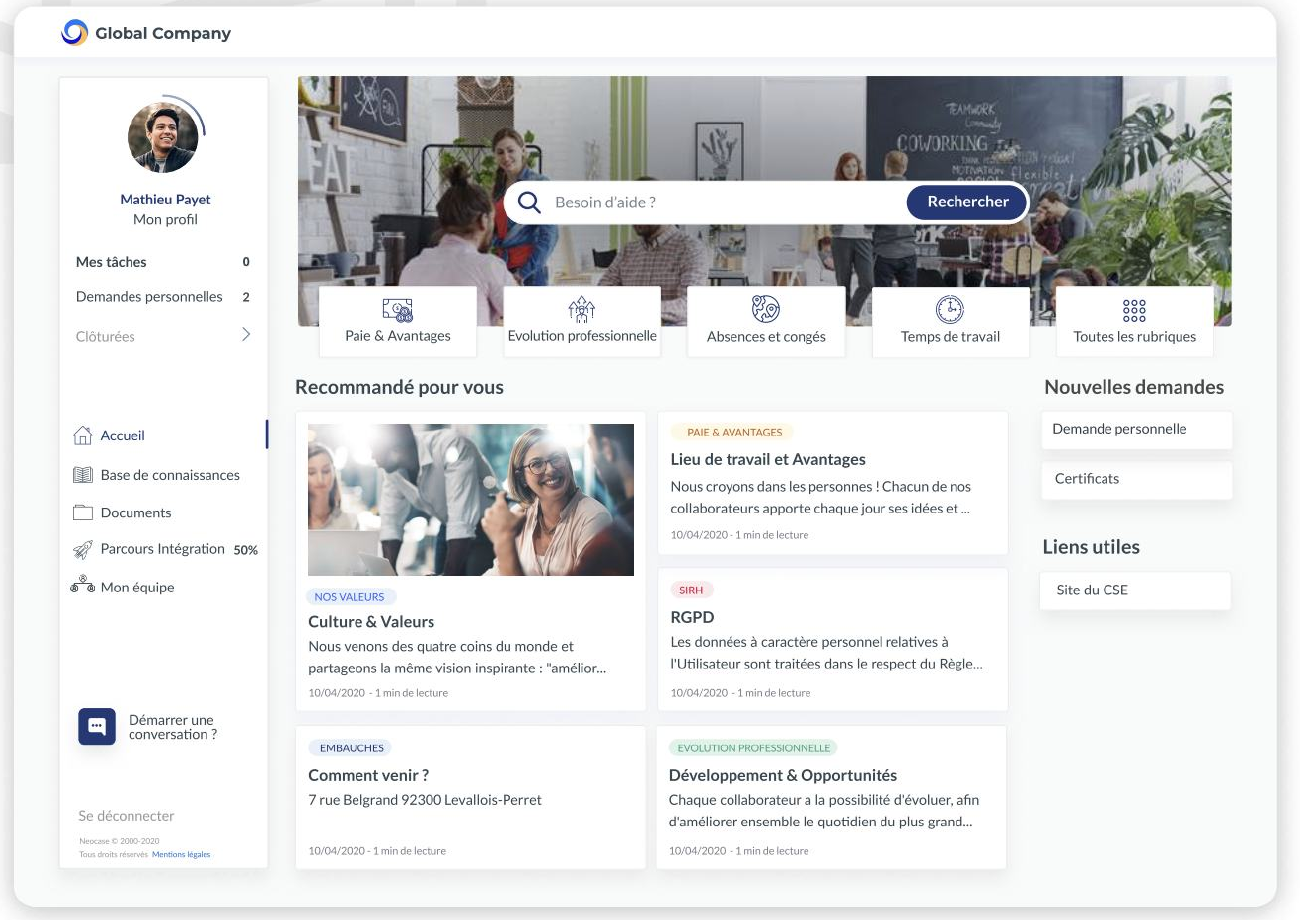
Reorganise the knowledge base.
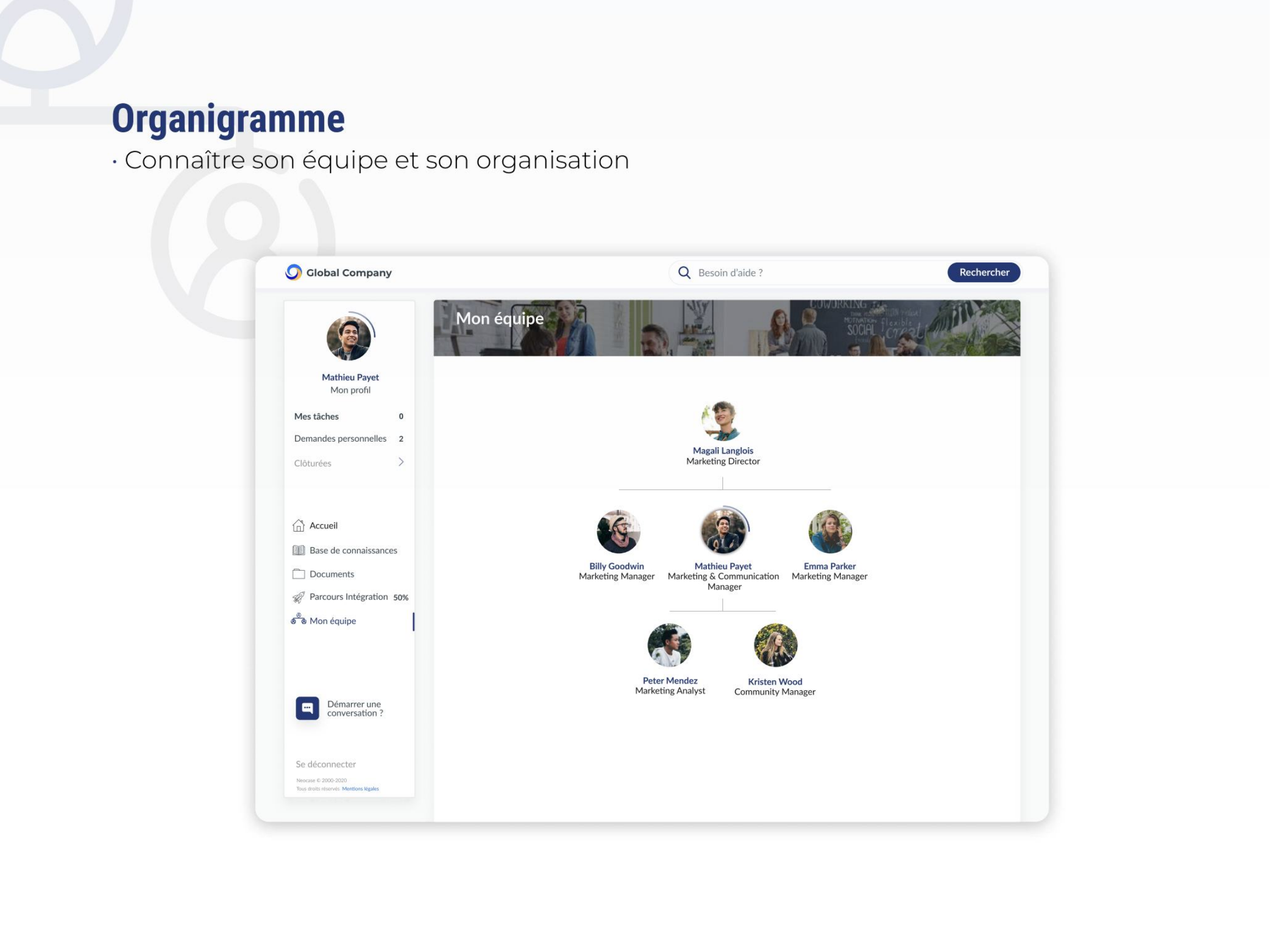
Add an organisation chart page.
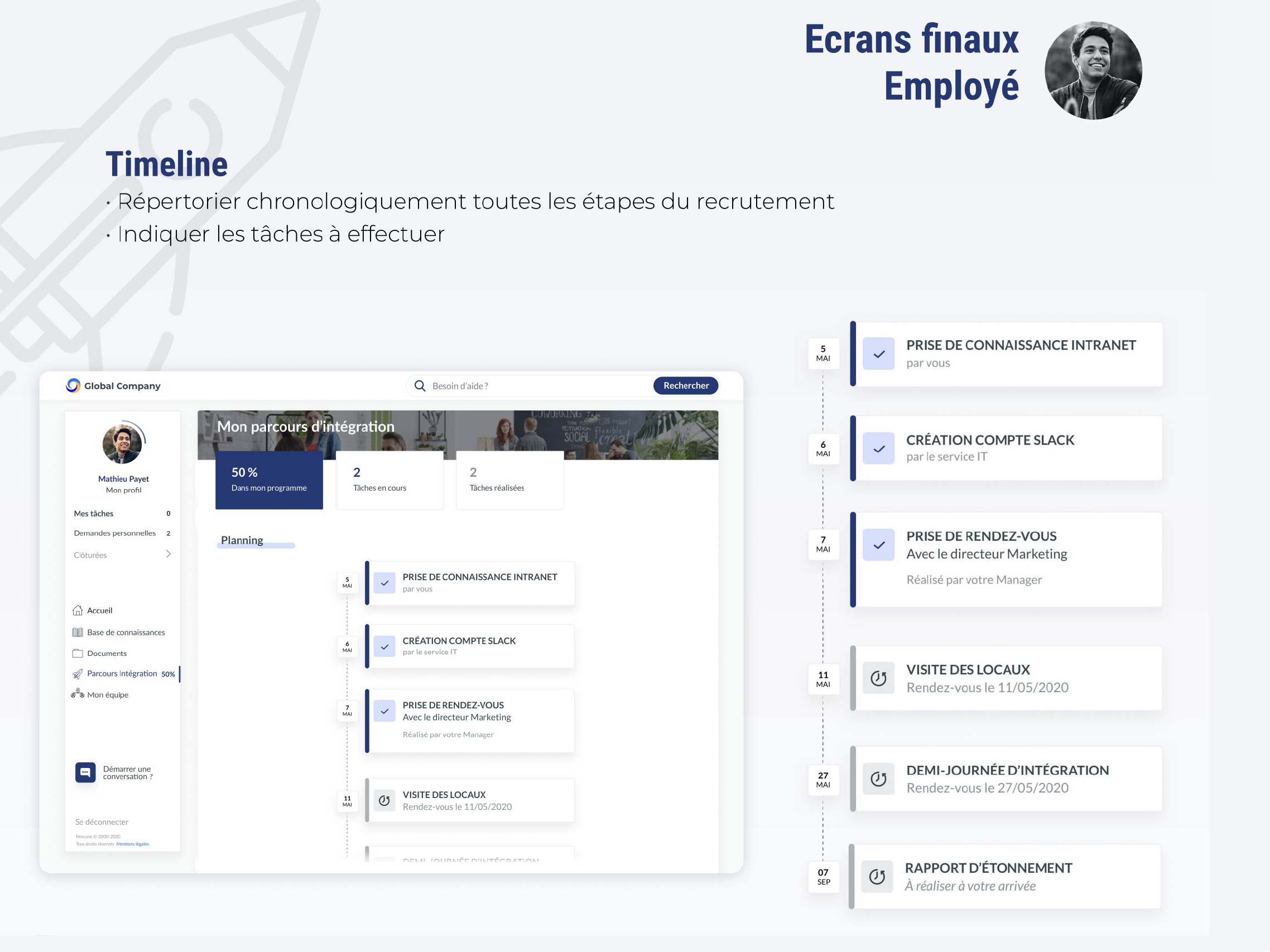
Add a timeline to track recruitment steps.
03 — USERS

Two profiles with complementary needs.

New employees needed to find their next steps, their team and useful information before joining. Managers needed to track several onboarding journeys at once and know when to step in.

NEW EMPLOYEE · MATHIEU

Prepare for joining and discover the workplace.

Mathieu wants to:
  • Track the steps of his recruitment.
  • Get to know his team.
  • Learn about the benefits and perks available.
  • Find information about the company.
MANAGER · MAGALI

Support several new hires at once.

Magali wants to:
  • Track progress across her ongoing hires.
  • Get feedback on the quality of her recruitment process.
  • Be notified when she has a task to complete.
04 — EMPLOYEE EXPERIENCE

A single entry point for previously scattered resources.

The portal brings together progress, teams, documents and knowledge content. The knowledge base sits within the employee journey, making the right information easier to find at the right time.

01

Timeline

  • List all recruitment steps chronologically.
  • Show the tasks to complete.
02

Organisation Chart

  • Get to know the team and organisation.
03

Dedicated Knowledge Base

  • Learn about the benefits and perks available.
  • Find information about the company.
Onboarding timeline and task details
TIMELINE · Track recruitment steps and tasks
New employee's team organisation chart
TEAM · Understand the organisation
Knowledge base, company information and benefits
KNOWLEDGE · Find useful information
05 — MANAGER EXPERIENCE

Making organisation and progress visible.

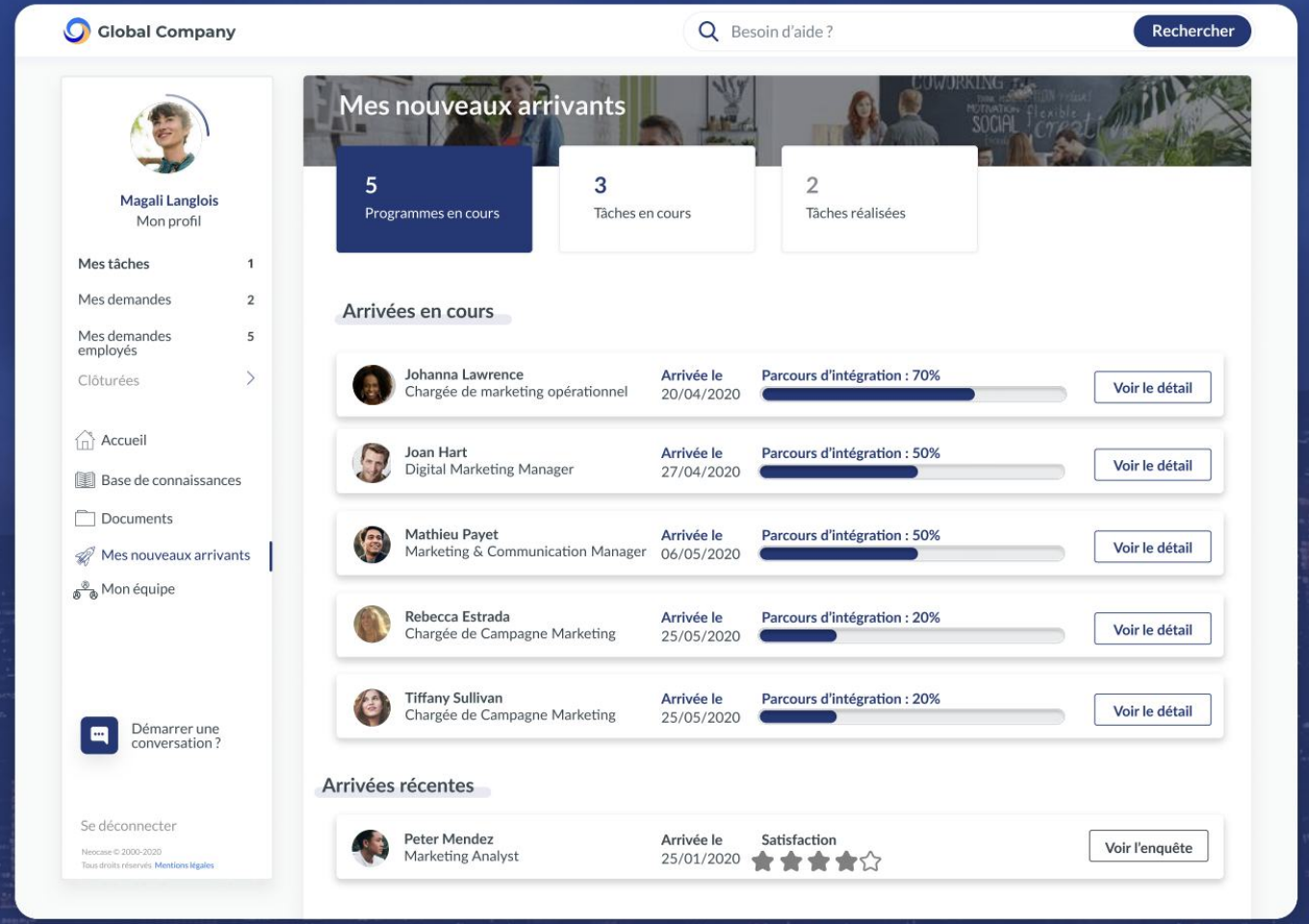
A team page helps new employees quickly understand their workplace. For managers, the dashboard shows ongoing hires, their progress and associated tasks.

  • Track progress across her ongoing hires.
  • Get feedback on new hire satisfaction.
Manager dashboard: ongoing onboarding, progress and satisfaction
MANAGER · Track onboarding
06 — DESIGN SYSTEM

Evolving components within the existing visual identity.

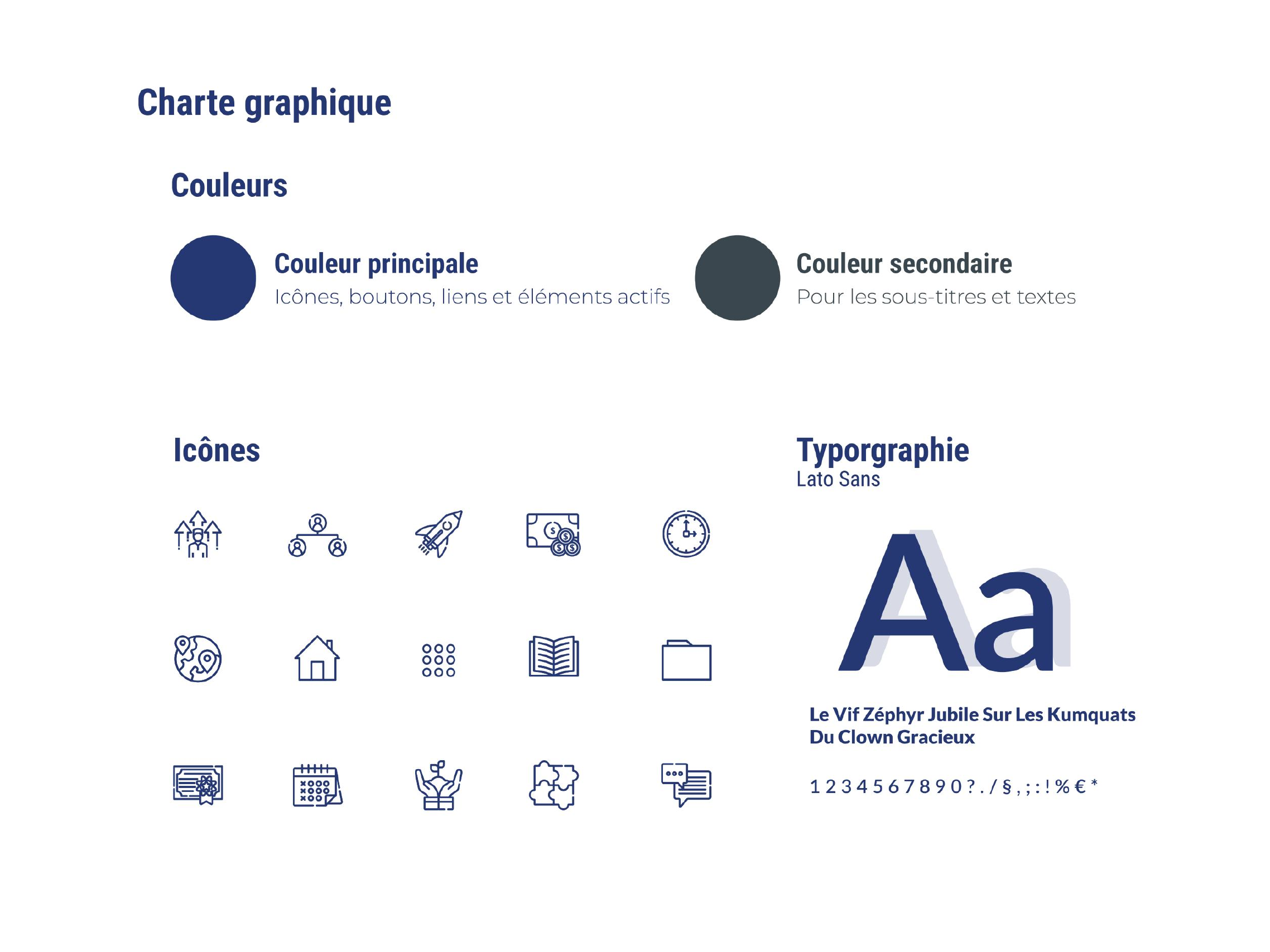
My responsibilities: take part in workshops, design user flows, create wireframes and UI designs, then develop new Design System components aligned with the visual identity.

  • Primary colour: icons, buttons, links and active elements.
  • Secondary colour: subheadings and text.
  • Typography: Lato Sans.
Neocase visual identity: colours, icons and Lato Sans typography
DESIGN SYSTEM · Product colours, icons and typography
07 — TAKEAWAYS

Digital onboarding should provide guidance as well as information.

The project turns separate resources into a coherent journey: knowing where you stand, who is on your team and where to find useful information, while giving managers a clearer view of progress.