HR AGENT
Monitor and act quickly.
Identify missing or invalid mandatory documents, find an employee and review their document information without losing context.
Integrating a new HR document management module to identify missing or invalid documents at scale.
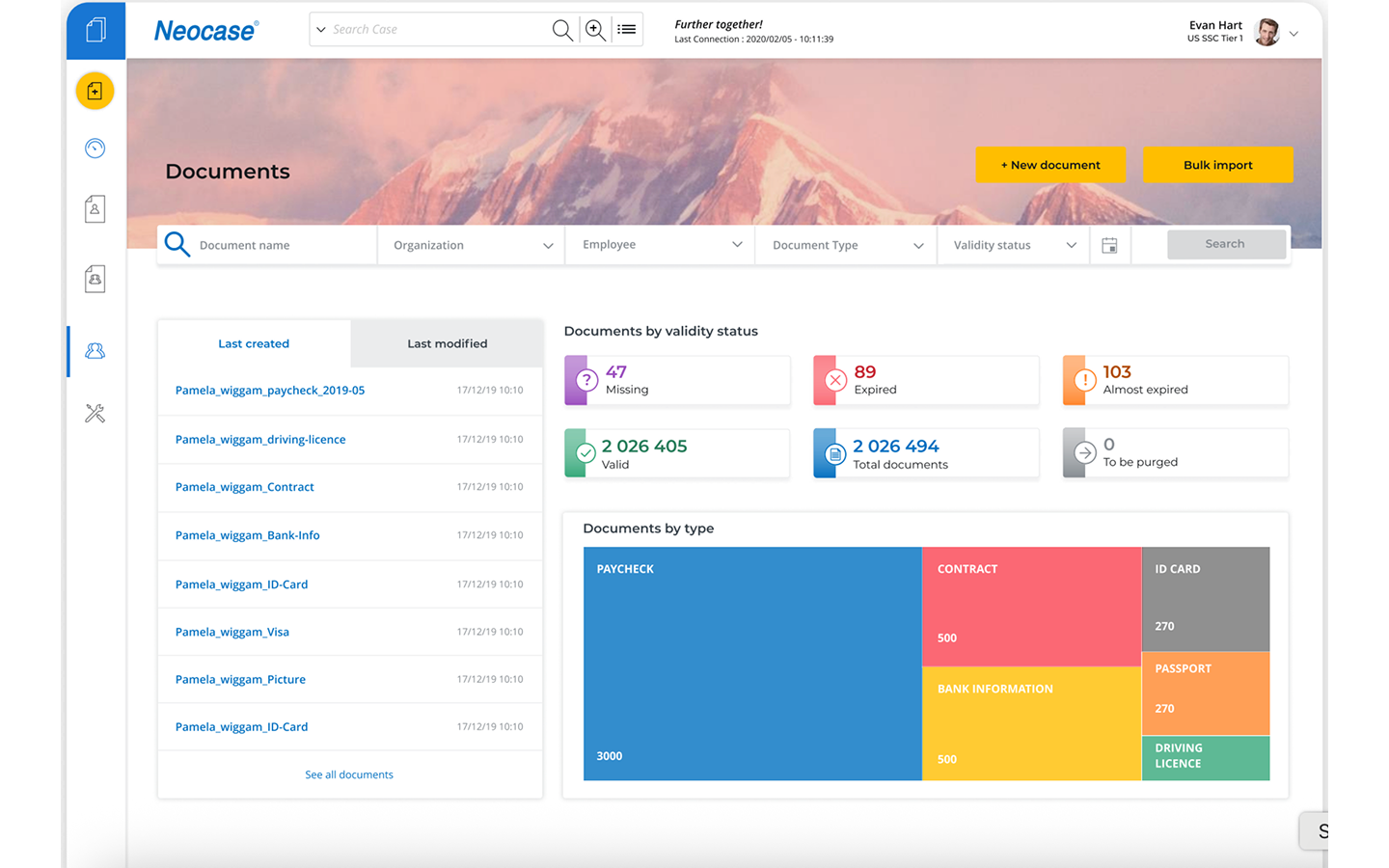
The challenge was to add a new HR document management module to an already highly complex ticketing and BPM system. It had to integrate into the existing back office and follow its visual identity.
For organisations with thousands or even hundreds of thousands of employees, HR teams needed to check that mandatory documents were present and valid, anticipate expiry dates and identify employee files requiring action.
Documents were scattered across multiple tools — HRIS, payroll and talent management. Centralising them would simplify tracking and storage, with strong requirements for security, confidentiality and data lifecycle management.
Identify missing or invalid mandatory documents, find an employee and review their document information without losing context.
Organise document types, manage visibility permissions and configure the rules that structure the tool, within the security and confidentiality requirements of HR data.
We used OCR to recognise documents and prefill their metadata based on the defined document type. This assistance could produce errors, so users needed to be able to review and correct information before validation.
Define the document type and use OCR to prefill metadata.
Let HR teams check information and correct recognition errors.
Design a journey for validating multiple documents to handle large processing volumes.
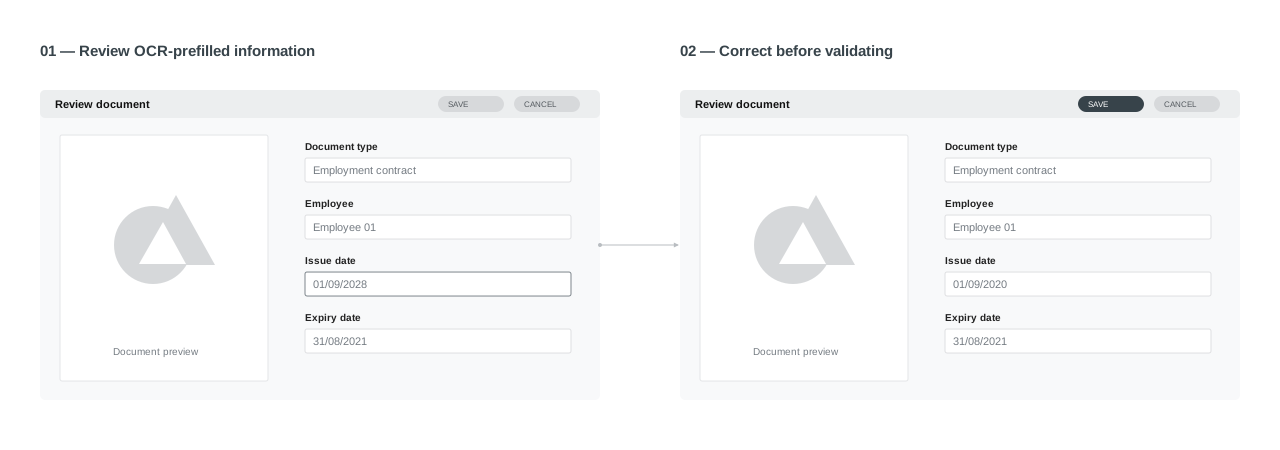
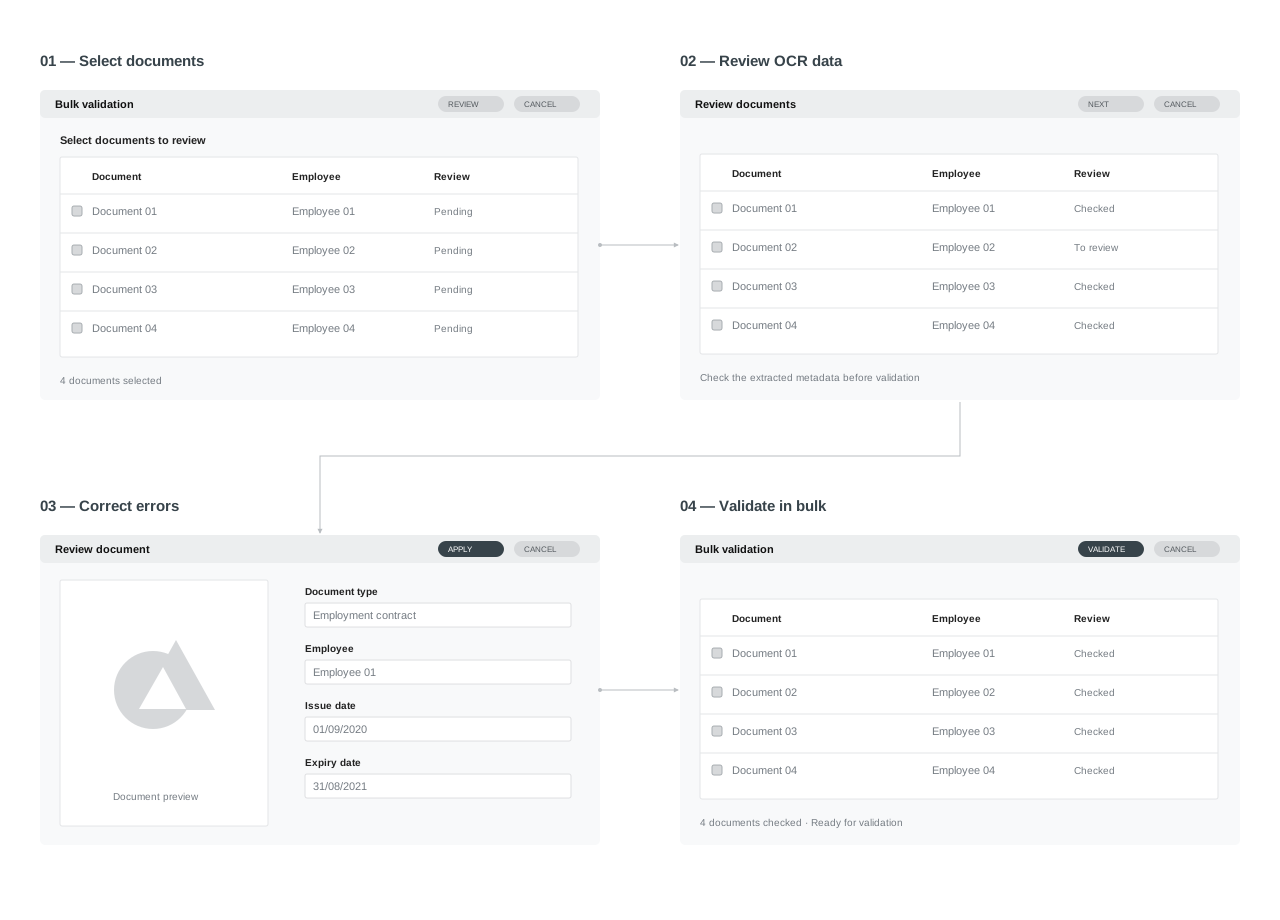
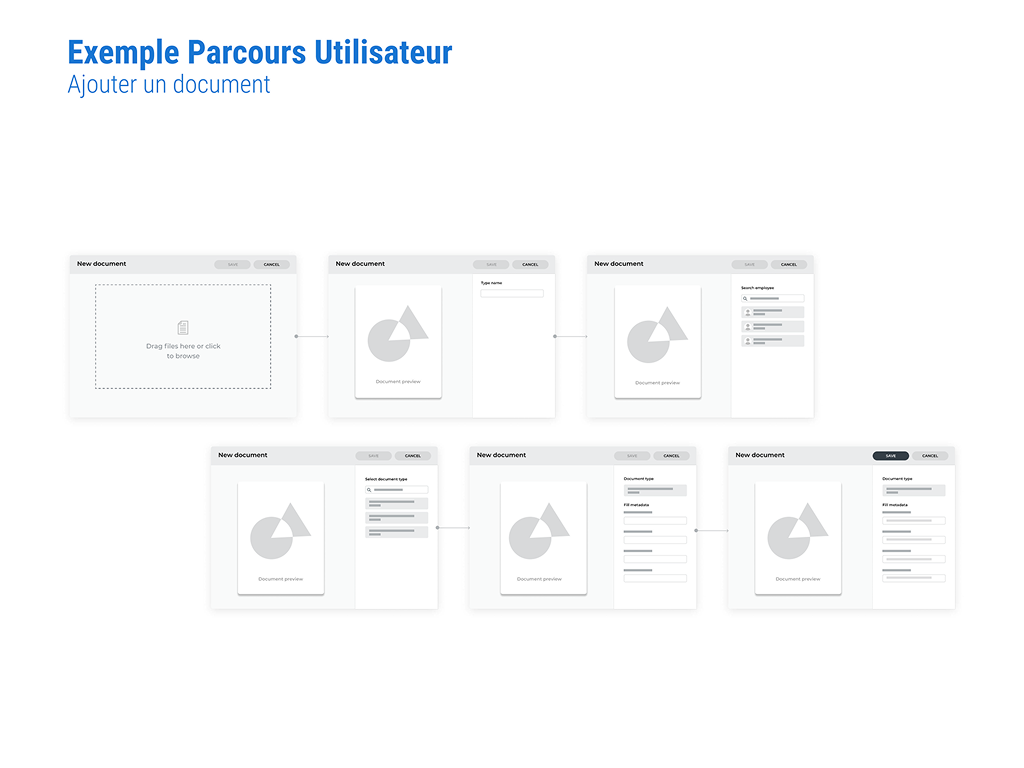
Before the final UI, we mapped the journeys in wireframes. Adding a document moves from upload to identification, association and then metadata. I also designed a bulk validation journey to make reviewing multiple documents easier.
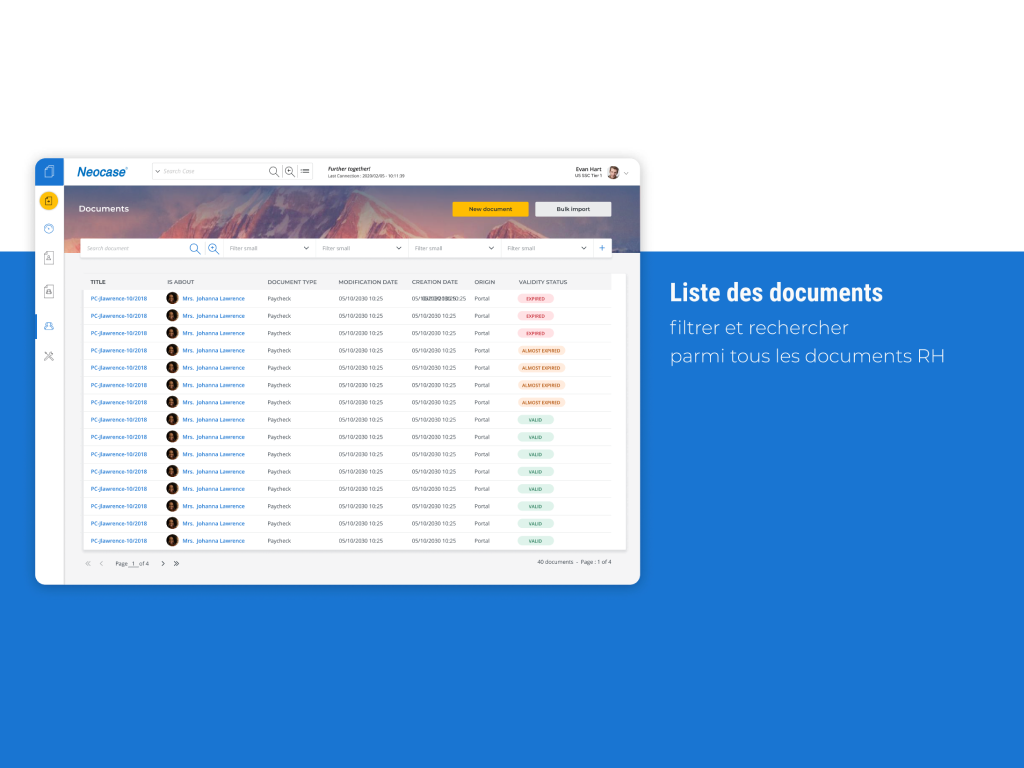
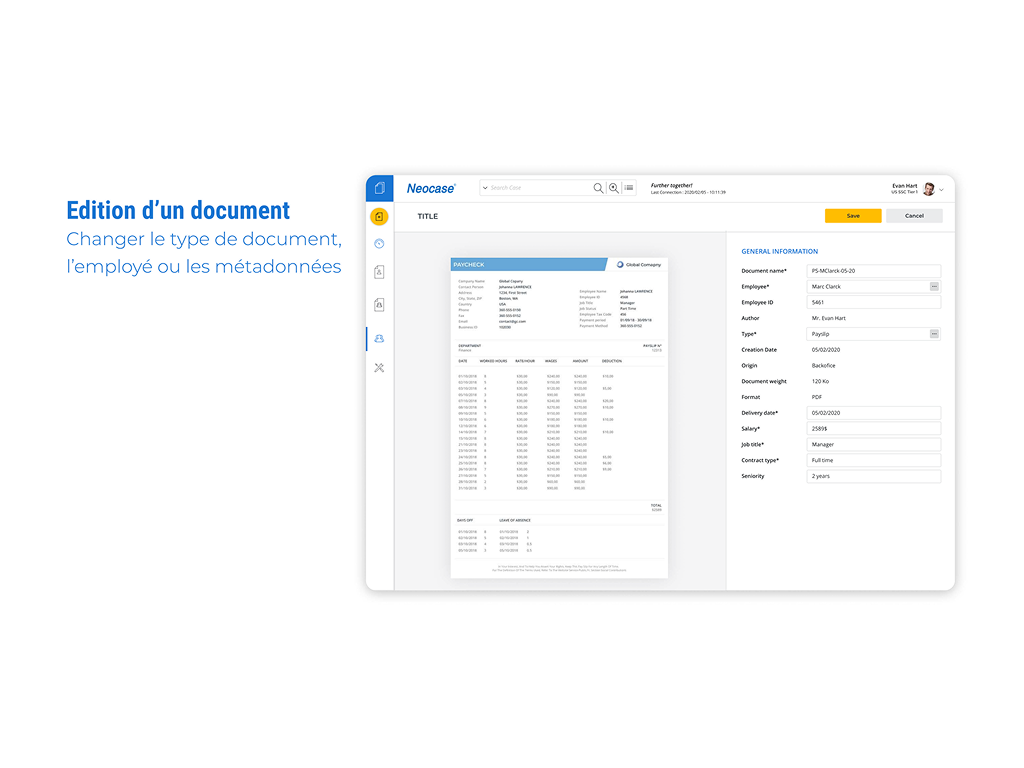
The dashboard gives an immediate view of document validity. The list prioritises scanning and filtering. The editing screen places the document alongside its metadata to make review easier.
Check document validity and identify missing, expired or soon-to-expire documents.
Filter and search across all HR documents.
Change the document type, employee or metadata.
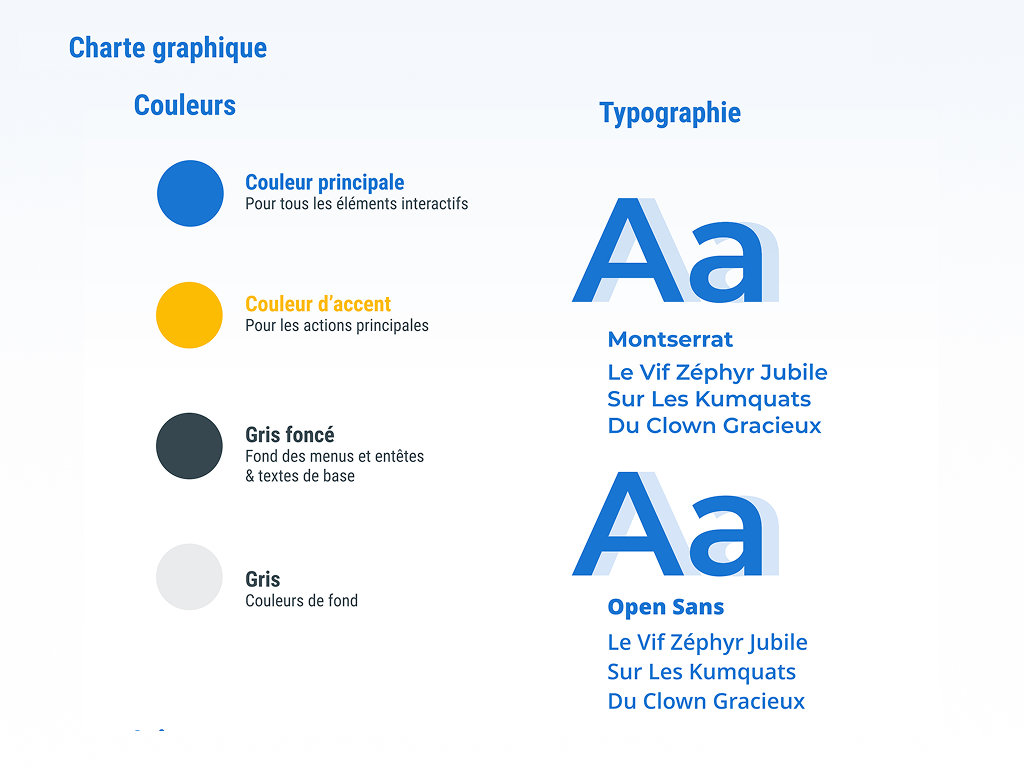
The new module had to fit the existing back office visual identity. Status colours, typography, icons and components followed this framework to maintain the same logic across screens.
We needed accessible visual cues so every user could benefit from the product. Each status therefore has an icon alongside its colour: information remains understandable without relying solely on colour perception, particularly for users with colour vision deficiencies.
For all interactive elements.
For primary actions.
Menu and header backgrounds, body text and background colours.
Montserrat and Open Sans.
In a business tool of this scale, clarity helps HR teams identify files requiring action and review information. OCR makes data entry easier, but its errors make human review essential. The design work focused on these review journeys, bulk processing and integration into the existing back office.