VINCENT OLIVE
SPARTED · LEAD PRODUCT DESIGNER

Courses

Creating a continuous learning experience beyond campaigns.
2×more weekly active players,
outside campaigns
MobileGenerative AIGamificationUser RetentionBack OfficeE-Learning
ROLELead Product Designer
COLLABORATIONProduct · Engineering · Data
MY SCOPEUX Research · Junior Designer Mentoring · UI Design · Prototyping · Design System Updates (App & Back Office) · Design Validation
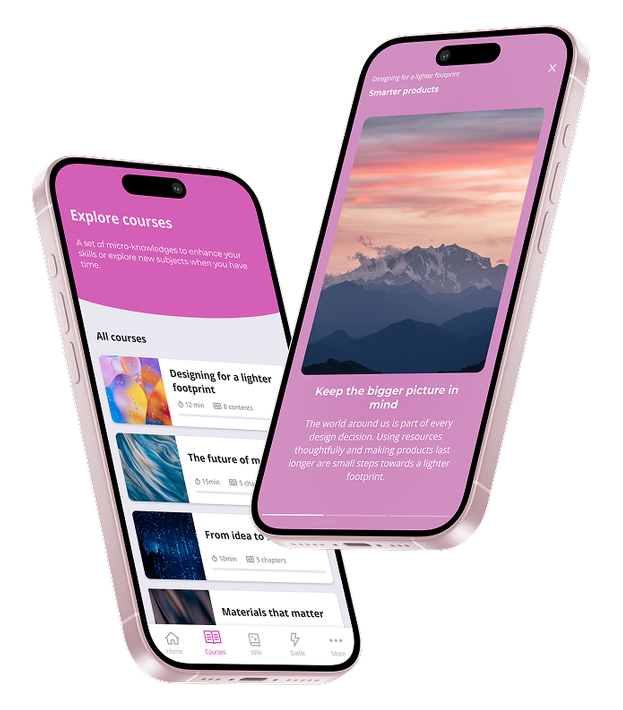
Two phones showing the Courses catalogue and learning content
01 — PROBLEM

An experience that ended with each campaign.

Sparted is a mobile Learning Experience Platform for corporate training, built around gamified micro-learning campaigns: around 3 minutes a day for 5 to 10 days. Outside these periods, no other activities were available.

DATA · MIXPANEL

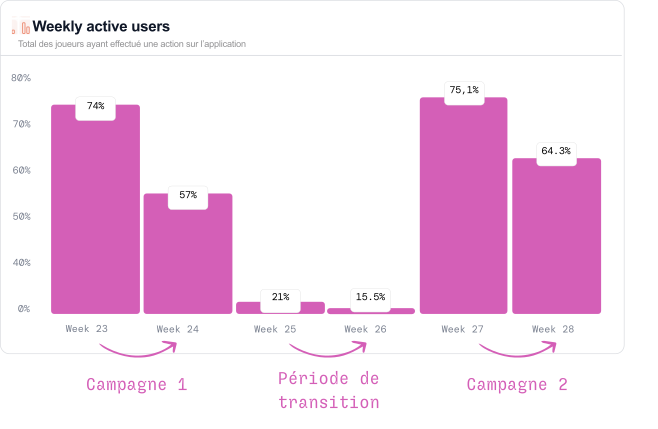
Activity analysis across all client platforms to compare usage during and between campaigns.

Mixpanel data analysis across all client platforms showed that the app was barely used between campaigns
Weekly active users chart
02 — FRAMING
PLAYER CHALLENGE

Create engagement outside campaigns.

SUCCESS METRIC

33% active users outside campaigns.

Damage control

Avoid overloading client teams responsible for content creation (PMOs).
Keep the micro-learning format: around 3 minutes a day.
Preserve the app's playful, exciting positioning to avoid turning it into an LMS.
03 — USER RESEARCH

Understanding creators' and players' constraints.

I used this project to introduce user research at Sparted. The goal was to go beyond usage data and better understand the constraints, motivations and barriers affecting the two profiles at the heart of the experience.

01

Usage Data

  • Understand when usage drops occur.
  • Understand the correlation between campaigns and app usage.
02

Clients and Prospects

  • Client interviews to understand training use cases.
  • Prospect interviews.
03

Player Feedback

  • Analysis of NPS feedback
  • Interviews with 10 players
04

Personas

  • Creation of PMO (content creator) and Player personas.
MAIN CONSTRAINTS
PLAYER · LEARNER

Learn in a daily routine where training is not a priority.

Lack of time

Frontline staff — salespeople, technicians and workers — are often too busy to devote much time to learning.

Selected opportunityLack of context

Some players feel they do not have enough information before answering campaign questions.

Discouragement from rankings

Incorrect answers lead to a low ranking, which can in turn reduce the motivation to continue.

CREATOR · PROJECT MANAGEMENT OFFICER

Create content without making it a full-time job.

Limited time

Micro-learning sits alongside many other activities. Content creation is one task among many and rarely their priority.

Limited autonomy

They need simple tools, do little configuration and rely heavily on support when the tool becomes complex.

04 — SOLUTION

Introducing a new activity: Courses.

The idea: offer a format very different from campaigns, always available, with no time limit, scoring or leaderboard.
A library of short content that players can consult to find information and review topics before campaigns.

PLAYER APP

Discover, learn, review.

BACK OFFICE

Create, structure, publish.

05 — PLAYER EXPERIENCE
01

A new entry point in the app

Bring bite-sized knowledge together in recognisable, always-accessible learning paths to deliver ongoing value between campaigns.

  • A useful resource, always available.
  • A sense of continuous progress.
02

Learn and review before campaigns

Let players revisit topics, reinforce their knowledge and feel better prepared for future campaigns.

  • Reduce frustration linked to rankings.
  • Maintain engagement between campaigns.
03

A playful, bite-sized format

Quick, familiar browsing designed for frontline constraints and micro-learning.
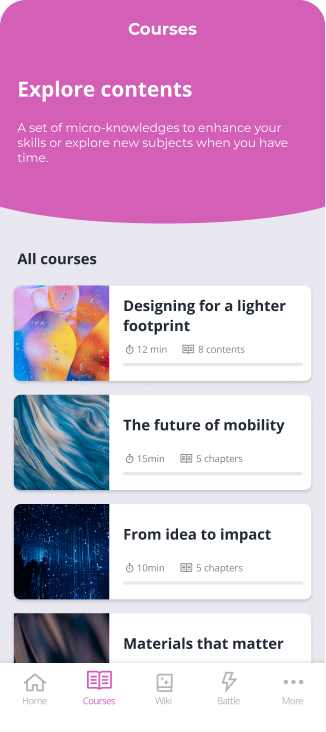
  • Short text — 500 characters maximum.
  • Images and video in V2.
  • Motion and transitions to encourage engagement.
Learning path list Learning path introduction Bite-sized video content Bite-sized text content Illustrated bite-sized content
06 — CREATOR EXPERIENCE

From WYSIWYG to a solution we could realistically build.

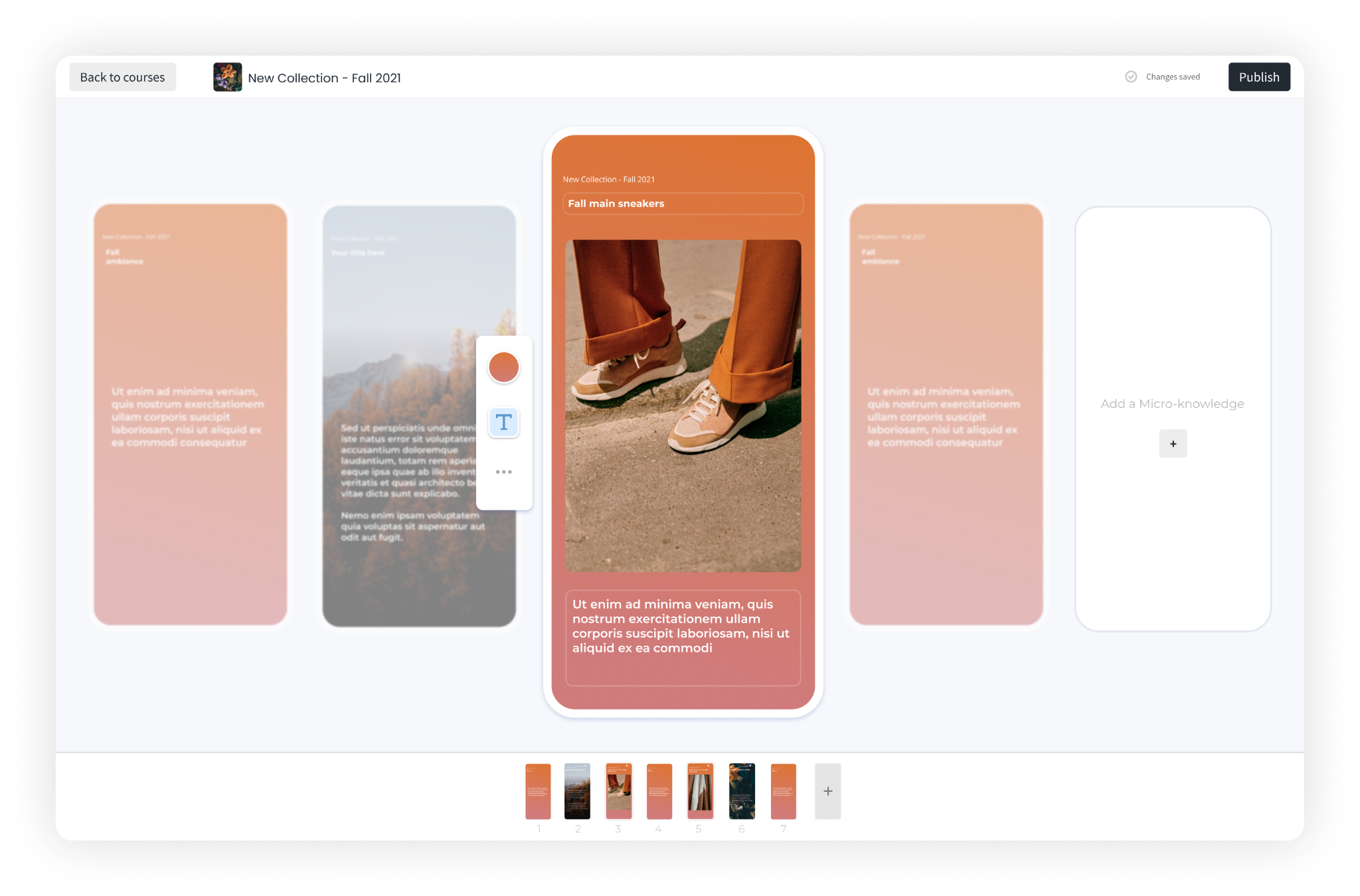
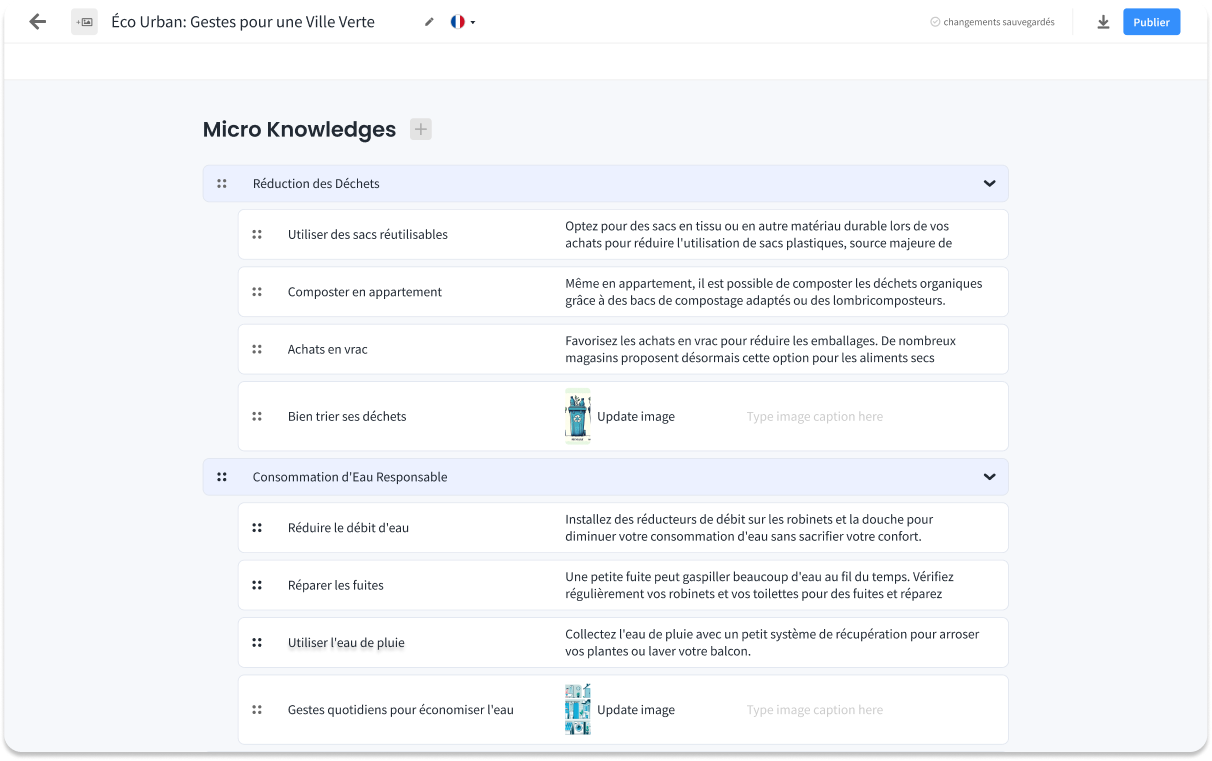
The first exploration brought editing as close as possible to the final output: a strong “what you see is what you get” approach. With the Product Manager and Engineering team, we weighed this ambition against development complexity and the capacity of a small tech team. We reduced the scope to deliver a simpler first version while preserving the essential principles of creating a course.
EXPLORATION · WYSIWYG
First WYSIWYG back office exploration
Bringing creation closer to the final result.
TRADE-OFF · DELIVERED SOLUTION
Simplified learning path editor
Reduce implementation complexity while preserving the composition logic.
07 — DESIGN SYSTEMS

Evolving both Design Systems alongside the product.

Together with the Engineering team, we prioritised reusing existing components to reduce development effort, avoid duplication and maintain a consistent experience. Where needed, we adapted them to the new use case. We created new components only when an adaptation would have changed their original behaviour too much.


DESIGN SYSTEM · APP

Course Card

NEW COMPONENT
Skeleton
Skeleton
Not started
Not started
Finished
Finished

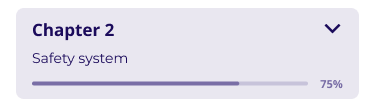
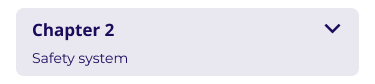
Course Chapter

NEW COMPONENT
Open with progress
Open with progress
Closed with progress
Closed without progress

Button Node

UPDATED COMPONENT

Customisable icon

Button Node — Completed
Completed
Button Node — Active
Active
Button Node — Default
Default
Button Node — Loading
Loading
Button Node — Locked
Locked

New states: Loading and Locked.

DESIGN SYSTEM · BACK OFFICE

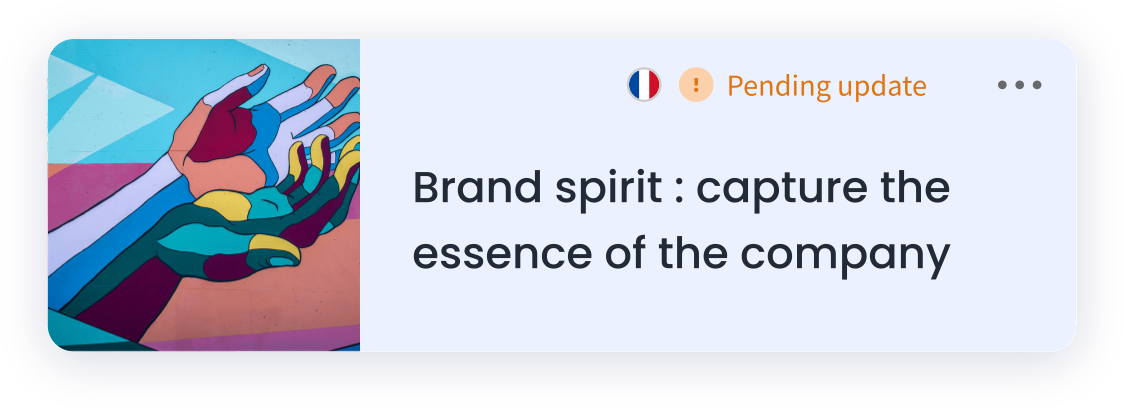
BO Course Card

NEW COMPONENT
With image
With image
Hover
Hover
No image
No image

Micro-Knowledge List Item

NEW COMPONENT
Chapter
Chapter
VideoHover
Video · Hover
Image
Image
ImageEmpty · Error
Image · Empty · Error
Text
Text

Status Indicator

UPDATED COMPONENT

Adapted to the context of courses

Pending update
Pending update
Error
Error
Published
Published
Unpublished
Unpublished
Icon only
Icon only
08 — GENERATIVE AI

Building native AI to speed up creation.

Creating a course remained time-consuming for teams whose main job was not content production. We therefore developed native generative AI: creators describe their needs in a prompt, receive a structured first draft, then iterate with AI to refine it.
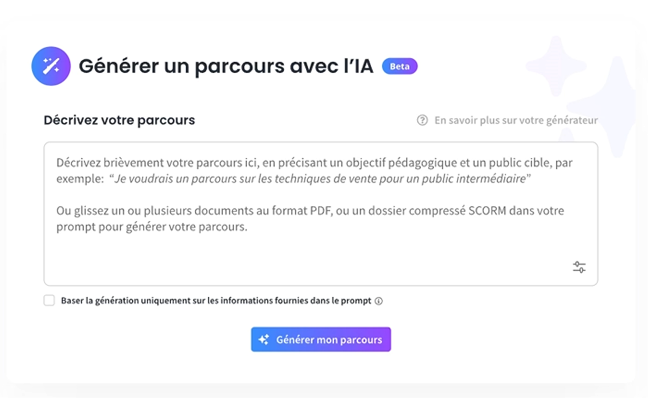
Generating a course with AI from a prompt
PROMPT → COURSE

Describe the need. Generate a first draft. Iterate with AI.

09 — IMPACT
2×

more weekly active players outside campaigns

Comparison of average activity rates across two observed periods.

Average WAU: 29%Target: 33%
227Courses created after 6 months
4,057Courses started in the app after 6 months
AFTER 3 MONTHS

A slow start, limited by content creation.

10 Courses created · 116 Courses started · 930 bite-sized knowledge items read

  • Getting time-constrained clients to create courses was difficult.
  • Missing key features needed to trigger usage.
AFTER 6 MONTHS

Iterations expand the use cases.

Videos, images and creation assistance enable new use cases.

  • An increase in usage is observed just before a campaign begins.
  • Average WAU outside campaigns reaches 29%, below the 33% target.